Monitor your payment gatewaysfrom your menu bar
"Before using PayNotify, it was difficult to track payment status
in one place and real-time."
Gabriele Musella, CEO / Co-Founder of Coinrule
Wrote this testimonial in July 2021
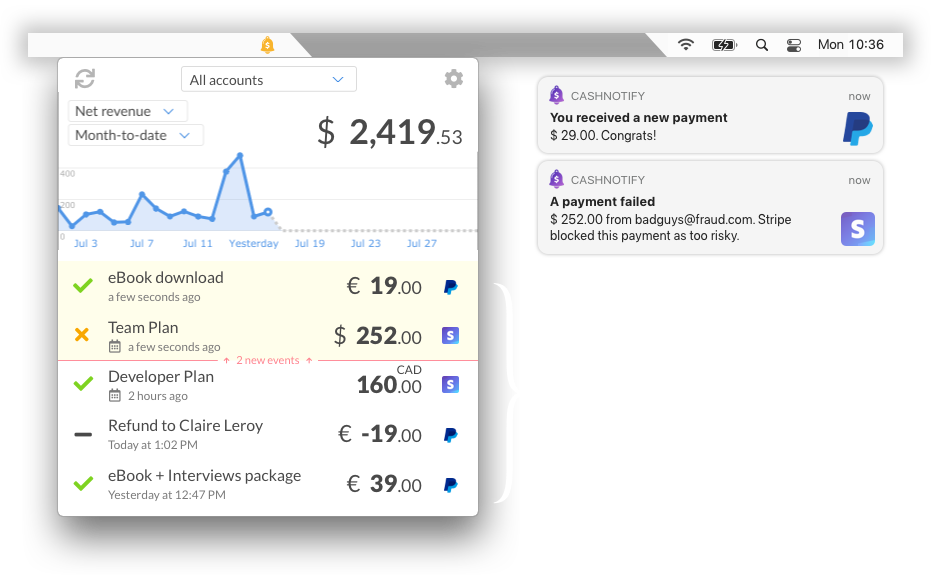
Get payment notifications in real-time
"It's so nice to have immediate access to my Stripe information in real timewithout having to clutter my email inbox with notifications."
Mark Tenney, CEO of Digital Church
Wrote this testimonial in July 2021
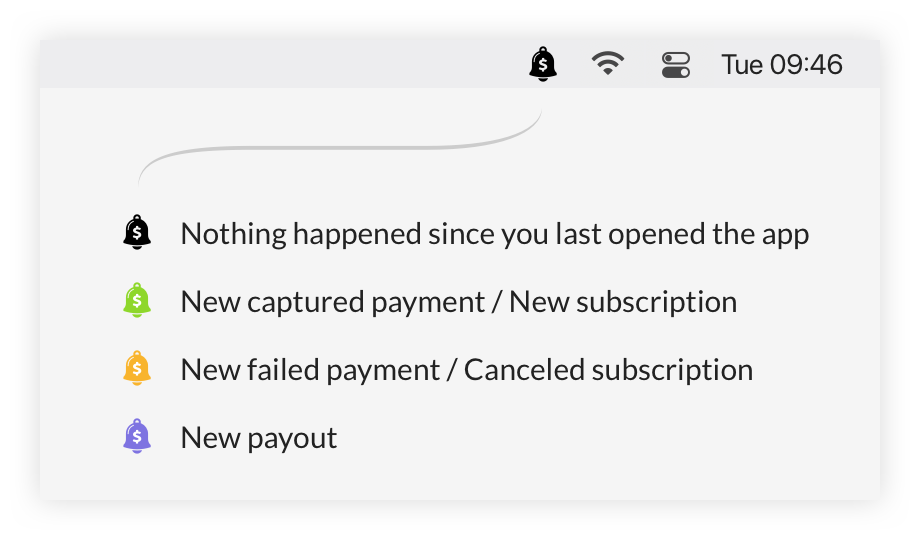
PayNotify is a menu bar app for Mac and Windows.
The icon's color indicates when something new happened in your Stripe/PayPal accounts.
PayNotify checks your accounts for new events:
- •Every minute
- •When you open the app
- •When you click the "refresh" button
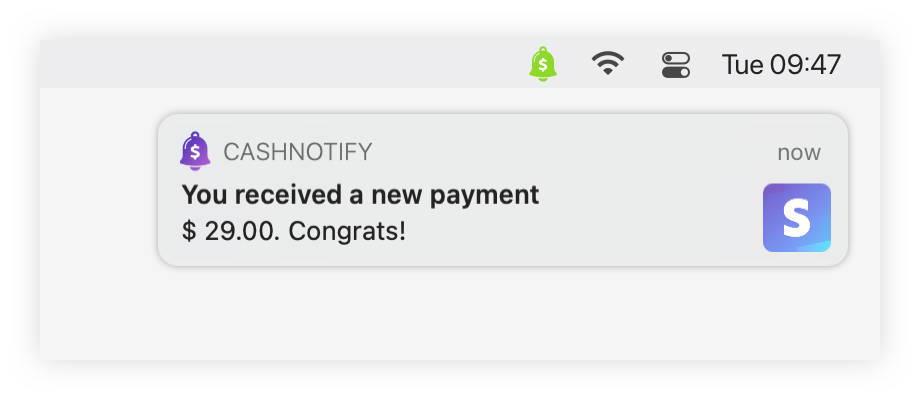
If you wish, it can alert you with notifications. You can decide which events you want to see in the app. Read how here.
Get real-time updates, without opening a browser
"I really enjoy not needing to log in to Stripe, or PayPal just to takethe pulse of my business."
Mark Tenney, CEO of Digital Church
Wrote this testimonial in July 2021
PayNotify is always quick to access. Just click the menu bar icon or a notification.
If you used to keep a browser tab open for your Stripe or Paypal account, you can now close it.
There is no need to type your credentials again. Once the app is configured with your API keys, you're done.
The graph shows your net revenue, or the number of payments for the period.
See how much you actually earned
"It's telling the truth about the actual revenue landing in my bank account."
Daniel Berggren, Owner of Octapress
Wrote this testimonial in October 2020
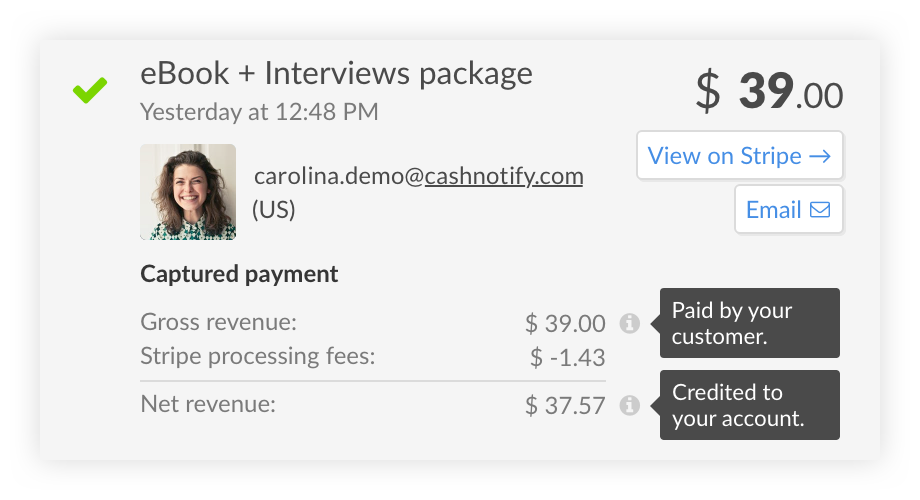
A click on an event expands it to show its details. It includes the customer's info and the fees applied to their transaction.
Application fees are also listed here if they apply to your accounts.
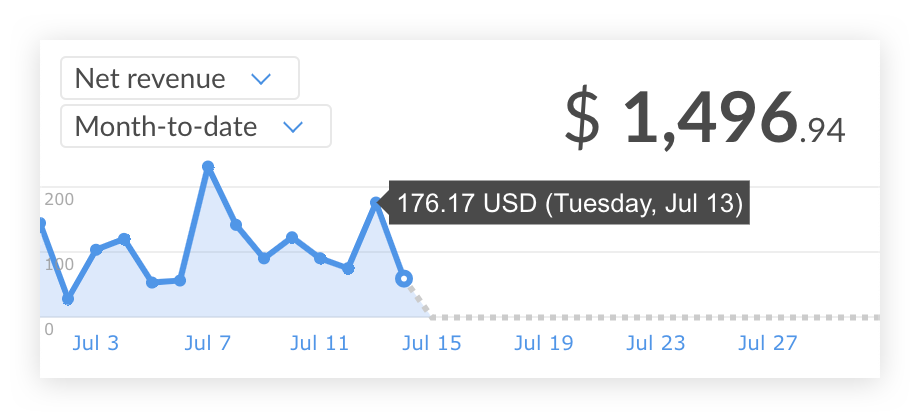
The "net revenue" graph shows how much goes in your pocket. It represents the revenue from payments after fees, refunds and disputes have been deducted.
The way we calculate it is consistent with Stripe's dashboard. Read more in our post about net revenue.
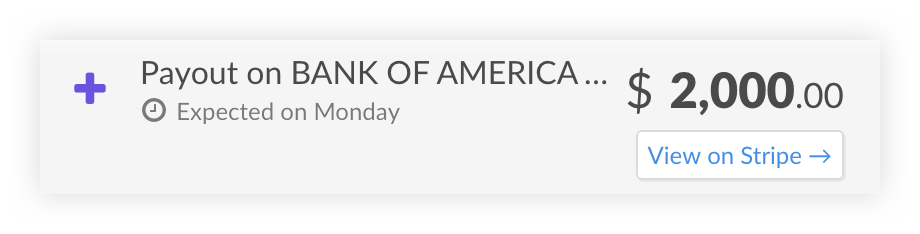
Payouts indicate when the funds have been sent to your bank account. The date is Stripe's estimate of when the money will reach it.
Aggregate data from all your accounts
"We love the fact that we now have an overview of the grand total of all our Stripe accounts:something that isn't even available in the Stripe dashboard itself."
Jan Boyen Rienks, Owner of Paracentrum Texel
Wrote this testimonial in March 2021
Connect multiple Stripe and PayPal accounts to see their revenues combined on the dashboard.
Select individual accounts, or "All accounts" for an aggregated view of all events across your accounts.
Adding a logo for each account allows you to quickly identify events.
This feature is reserved to PayNotify users with a PRO license. See our pricing.
Get started quickly
PayNotify only needs your API keys to work. Copy/paste them from your Stripe/PayPal dashboard and you're done.
Read our instructions here for Stripe and for Paypal.
Keep your data private with PayNotify

PayNotify is a desktop application. Its whole code runs on your own computer.
The app fetches data directly from Stripe/Paypal. Your API keys are used to authenticate each request. There is no PayNotify server or database storing your transactions online.
Your API keys are saved on your computer, encrypted in your local Keychain.
Read more about privacy.